
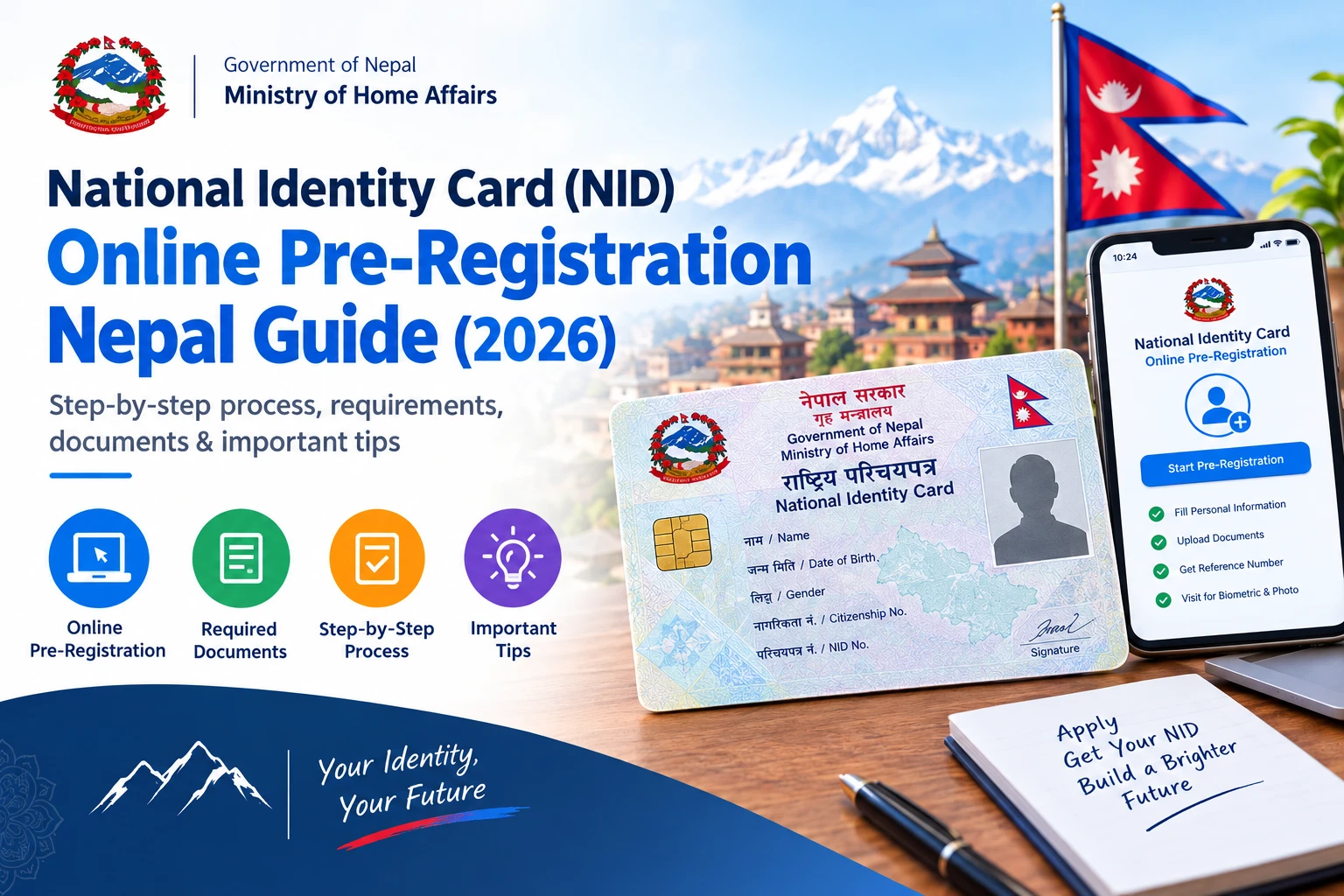
Quick Answer (TL;DR)
To get Nepal’s National Identity Card (Rastriya Parichayapatra / NID), you normally complete online pre-registration, then visit an enrollment center for document verification and biometrics. After processing, you receive your National Identity Number (NIN), then later collect your physical NID card. Online pre-registration alone does not usually issue the card.
Introduction
If you’re trying to get Nepal’s National Identity Card (NID), you may be confused by terms like “online registration”, “biometrics”, and “NIN”. The process has multiple stages.
At a high level, Nepal’s National Identity system works like this:
Online Pre-Registration → Biometric Enrollment → NIN Assignment → Application Processing → NID Card Issuance/Collection
This guide is written for complete beginners. You’ll learn what to do before biometrics, what happens during biometrics, and what to do after you’ve enrolled — especially for NIN checking and National ID status tracking.
What is National ID?
A National Identity Card (in Nepali, often called Rastriya Parichayapatra) is Nepal’s government-issued digital-and-biometric identity system. It is designed to identify citizens using both:
- Demographic information (like your name, date of birth, address, family details where required)
- Biometric information (like fingerprints and other biometric traits collected during enrollment)
What is included?
A National Identity record is built using:
- Your citizenship details (from your citizenship certificate records)
- Your personal/demographic information
- Biometrics captured at the enrollment center
What does it replace?
It does not automatically replace every other document in every situation. For example:
- Citizenship certificate establishes citizenship
- NID provides government-issued identity credential details based on the national identity system
What is NIN?
NIN stands for National Identity Number. It is the unique number linked to your National Identity record.
You may need NIN for government services before you receive your physical card, depending on the service’s requirements and how records are integrated.
Eligibility
Who can apply for a National ID card?
In general, Nepal’s National ID system is for Nepali citizens who are eligible under the applicable rules. Eligibility and age-related rules may vary by program cycles and issuance phases. Before you start:
- Use your official citizenship details
- Follow the eligibility and “who can enroll” guidance shown in the official portal during pre-registration
If the portal shows category-specific options (for students, special cases, or other groups), choose the correct option instead of guessing.
Required Documents
Before you begin online pre-registration and biometric enrollment, prepare your information and documents carefully. Requirements can change depending on your situation (new application vs correction, special categories, etc.).
Basic requirements (most applicants)
- Citizenship certificate details (including citizenship number)
- Personal details (name, date of birth, gender)
- Address details (permanent and current, as requested)
- A mobile number you can access for OTP/verification (as the portal requires)
Documents you may need if you are correcting details
Supporting documents for the correction you want to make (for example, documents that support a corrected address, spelling, or other information).
Documents for biometric appointment
Usually you must bring:
- Original citizenship certificate
- Your pre-registration reference details (or whatever confirmation the portal provides)
- Any supporting documents needed for corrections (if applicable)
For exact document lists, follow the enrollment center instructions and the checklist shown in your official appointment/confirmation.
Online vs Physical Process
One of the most confusing parts for first-time applicants is: “Is everything online?”
Typically:
- Online pre-registration collects your application information
- Biometrics requires physical attendance at an enrollment center
Here is the practical distinction:
Only mark something “fully online” if the official portal explicitly says so for your case. (For a parallel example of a “status vs collection” workflow, see our Nepal online driving license EDLVRS portal guide.)
Official Pre-Registration Portal
You should use the official portal operated by Nepal’s Department of National ID and Civil Registration. Multiple sources reporting the official process indicate the pre-registration portal is on:
- donidcr.gov.np (department site)
- enrollment.donidcr.gov.np/PreEnrollment (pre-enrollment portal)
Complete Online Pre-Registration Tutorial (Step-by-Step)
Before you start, keep these “inputs” ready:
- Your citizenship number and the issuing district as per your citizenship certificate
- Your exact name spelling (and Nepali/English spelling if asked)
- Your correct date of birth
- Your address details (permanent and current)
- A phone number you can receive OTP on
Step 1: Open the official pre-registration portal
Open the official portal: enrollment.donidcr.gov.np/PreEnrollment. Before clicking anything, verify:
- The domain is correct
- The page language and layout match the official portal
- There is no warning sign that suggests the site is untrusted
What to do if you can’t open the portal: try again later, avoid re-entering your personal details on unofficial mirrors, and use a stable internet connection.
Step 2: Select the correct registration option
In the portal, you usually need to choose the option for individual applicants (not an agency). Choose the “individual” flow unless you are registering as something else and the portal provides that option.
Step 3: Login using your mobile number
- Enter your mobile number.
- Submit and wait for the OTP (One-Time Password).
- Enter the OTP in the portal.
Common mistake: typing the wrong mobile number. Use your active number you can receive OTPs on.
Step 4: Start a new enrollment
After login, look for something like “New Enrollment” or “Start pre-registration” and begin a new application for your NID enrollment.
Step 5: Enter personal information
Fill in each section carefully. Typical fields include:
- Full name
- Date of birth
- Gender
- Citizenship number
- Issuing district
For each field: understand what the field asks, copy data exactly from your citizenship certificate, avoid shortcuts and guesswork, and re-check spelling and date.
Step 6: Enter citizenship information
This usually includes citizenship number, citizenship issuing district, and citizenship details matching your certificate. Double-check the citizenship number digits and issuing district spelling.
Step 7: Enter address information
You may be asked for:
- Permanent address (district/municipality/ward)
- Current address (district/municipality/ward) if different
Why it matters: your NID record must match official identity data. Wrong addresses can lead to mismatch during verification.
Step 8: Add family/personal details (if requested)
Many systems collect information about parents or family details. If the portal includes family fields, enter them exactly as required and use supporting documents if your records need correction.
If you are unsure: do not invent details. Wait, check your citizenship documents, or follow the portal instructions.
Step 9: Review everything (before submission)
Create a quick review checklist:
- Name spelling matches citizenship
- Date of birth matches citizenship
- Citizenship number matches citizenship certificate
- Issuing district is correct
- Permanent address is correct
- Current address (if asked) is correct
- Mobile number is correct
Step 10: Submit pre-registration
Submit your online pre-registration. After submission, you should receive:
- A reference/application number (important)
- Confirmation details (how you receive it depends on the portal)
Step 11: Save your confirmation
Save:
- Reference/application number
- Screenshot or printed copy (as allowed)
- Any instructions for biometrics and enrollment center
This reference is often needed later to book biometrics or to track NIN/status.
Biometric Appointment Booking
In most cases, biometrics require a physical visit. The portal may offer appointment scheduling and enrollment-center selection. Because appointment availability can change, follow what the official portal shows for your account.
What the portal may ask you to do
- Select an enrollment location (center)
- Choose a date/time slot (if available)
- Confirm the appointment
- Save your appointment confirmation
If appointments are unavailable
- Try again later
- Select another nearby enrollment center (if the portal allows)
- Avoid using middlemen websites
Can you change/cancel?
Some systems allow changes through the portal. Others require center-specific rescheduling rules. Use the options shown inside your official portal account.
Where Can You Complete NID Biometrics?
Biometric enrollment is typically done at designated enrollment centers. These may include:
- District administrative offices
- Appointed/assigned enrollment centers
- Other government enrollment sites/camps (depending on current policy)
Availability changes by location and by time. Your pre-registration portal and appointment confirmation are the most reliable sources for where you must go.
What Happens During Biometric Enrollment?
This section answers the “what exactly will I do there?” question. A typical sequence is:
- Arrival
- Token/appointment verification (if required)
- Document check
- Personal details verification
- Photograph (if collected)
- Fingerprints and other biometrics
- Final confirmation/acknowledgement
What you should bring
- Original citizenship certificate
- Your pre-registration reference and appointment confirmation
- Any supporting documents for corrections
- Any other document the center requests (if they show a checklist for your appointment)
What information is collected?
During biometrics, you may be asked to confirm the information you entered online and then capture biometrics such as fingerprints, photograph, and other biometric data as required by the system at that center.
What if information is incorrect?
If your personal information differs, the center may request you to correct based on official rules and your record may be updated after verification. Follow official instructions from the enrollment staff and do not share documents with unofficial agents.
How long does it take?
Processing time varies by center workload. Expect it may take longer on busy days. Do not assume same-day completion of NIN assignment.
Documents for Appointment (Detailed Checklist)
Universally required (most likely)
- Original citizenship certificate
- Pre-registration reference/application number
- Appointment confirmation (if appointment booking is used)
Situation-dependent (bring if relevant)
- Supporting documents for corrections (if you are correcting name/address/etc.)
- Other identity documents requested by the center (only if the portal or center checklist asks)
If you forget originals: the center may refuse biometric capture until you provide them (follow the center rules).
What Happens After Biometric Enrollment?
After you complete biometrics, your data goes through processing. Typical next stages:
- Data processing at the department
- Record verification
- NIN assignment
- Card production/printing (if required)
- Card distribution/collection according to official instructions
How to Find or Check Your NIN
After processing, you need a method to check whether NIN has been assigned to your record. Because official “NIN check” options (web portal lookup vs SMS) can change, use the official “NIN check” method inside the official department systems.
Steps for online lookup (general)
- Go to the official NID systems/portal from the department website
- Choose the option for NIN check / NID lookup
- Enter the information requested (commonly your pre-registration reference and/or citizenship details)
- Submit and verify results
- If not found, follow the official “not found” instruction (often linked to pending processing)
SMS checking note: some systems may offer SMS checking, but the SMS format/keyword and SMS number must be verified from the official portal. Do not guess SMS keywords.
How to Check National ID Application Status
Status checking usually uses your application/reference number and citizenship details. Status labels can vary — use only the status meanings shown in the official portal for your application.
Physical Card Collection
After your record is processed, you will need to collect the physical National ID card (or arrange collection as per official rules).
Bring
- Original citizenship certificate (or whatever identity documents the center asks for)
- Your NIN/application reference confirmation
- Any collection instruction letter or message
Someone else collecting on your behalf
Some processes allow authorization/representative collection; the official instructions must be followed. Do not assume it’s always allowed.
If the card is not available yet
- Check status first
- Then contact the relevant enrollment authority/department helpline as instructed on the official site
Citizenship vs NID (Clear Difference)
National ID does not automatically eliminate the need for citizenship documents in every situation. You should keep your citizenship certificate safe even after receiving your NID, until official rules for each service clearly show it’s no longer required.
Passport Relationship
- You may need NIN for passport-related processes or updates, depending on the current Department of Passports requirement.
- If you do not yet have the physical NID card, use official passport guidance to see whether NIN (number) is acceptable or whether the physical card is required.
- Typically, a department may ask for NIN or identity verification proof in its own system.
Do not assume that “passport requires the card” without checking current requirements. For the passport process itself, see our Nepali passport renewal guide.
Government-Service Integration
NID/NIN is designed to connect your identity record to government services. This can include:
- Identity verification for public services
- e-governance integrations
- Financial onboarding (e-KYC) and government systems that need consistent identity
But integration is not always universal. Some services may require NIN; others may request the physical card or citizenship certificate depending on official rules.
Social-Security Relationship
Social security and related programs may require identity verification. Whether they require the physical NID card, only the NIN number, or a citizenship certificate depends on the specific program and current integration rules. Check program instructions, and do not assume a single universal requirement.
Nagarik App Integration
Nagarik App may interact with National ID/NIN records for identity linking and verification — however, whether you can link your NID details via Nagarik App depends on current integrations.
- Verify NIN status on the official NID system
- Then retry linking in Nagarik App later
- If still failing, contact official support rather than using unofficial agents
For the full linking workflow, see our Nagarik App registration & services guide.
Corrections
If your details are wrong (name spelling, DOB, address, photograph, or demographic details), you need an official correction process. A practical “correction workflow”:
- Identify exactly what is wrong (compare online entries vs citizenship certificate vs received record)
- Collect supporting documents that prove correct details
- Request correction through the official correction mechanism mentioned in the department portal or instructions
- Follow biometric re-verification rules if the system requests it
Do not submit multiple applications repeatedly unless the official process explicitly tells you to.
Delays / Problems
This section helps you decide what to do if things don’t move quickly.
Common problem patterns
What not to do
- Do not rely on third-party agents who claim they can “update records instantly”
- Do not submit random applications on unofficial websites
Lost / Damaged Card
If you lose your National ID card or it is damaged:
- Report it and request replacement through the official process
- Provide required identity details and any necessary documents
- Follow official fee and document requirements (do not guess fees)
Nepalis Abroad
If you live abroad, the key question is whether you can complete biometrics outside Nepal. In many identity systems:
- Online pre-registration can often be done remotely
- Biometrics often requires physical presence in Nepal
- Some special arrangements (if any) depend on the current policy
What to do as a Nepali abroad:
- Check the official portal instructions for eligibility and whether foreign enrollment is supported
- If physical biometrics is required, plan return travel to your assigned enrollment center
- Use your NIN for services where NIN is accepted before physical card collection (if officially allowed)
Always verify current abroad eligibility rules with the Department of National ID and Civil Registration.
Fees
If the official fee schedule is not available on the portal page you’re viewing, verify by contacting the department via official channels shown on its website.
Processing Time
Processing time typically depends on:
- Pre-registration correctness (data accuracy)
- Completion of biometrics
- Volume of applications at the department
- Data verification steps
- Card production/printing and distribution
A precise “number of days” should only be stated if the official department provides it. Otherwise, treat processing timelines as variable.
Troubleshooting (Big Table)
Common Mistakes to Avoid
- Using an unofficial “NID registration” website.
- Entering citizenship number or spelling incorrectly.
- Entering an address that doesn’t match documents.
- Using a mobile number that you cannot access (OTP problems).
- Not saving the pre-registration reference number.
- Forgetting original citizenship certificate during biometric appointment.
- Going to the wrong enrollment center.
- Assuming pre-registration automatically completes biometrics.
- Assuming NIN is generated immediately after pre-registration (it usually depends on biometrics and processing).
- Re-applying multiple times without an official instruction.
- Sharing personal documents with unknown agents.
- Not checking status after biometrics.
- Losing NIN/reference details and not knowing how to recover.
- Thinking NID replaces citizenship certificate automatically for all services.
Is National ID Safe?
Security and privacy are important because National ID records can include biometric data. Practical safety rules:
- Use only official portals and official enrollment centers
- Never share OTPs or verification codes
- Avoid unofficial agents and websites promising “fast updates”
- Store your pre-registration reference and documents safely
- Keep your phone secure (screen lock)
- Be careful when sending screenshots that show personal details
No identity system is “100% secure” in every scenario. But you can greatly reduce risk by using only official channels and not sharing credentials.
Complete National ID Application Checklist
Before online pre-registration
- Citizenship certificate details ready
- Correct spelling of your name
- Date of birth verified
- Permanent/current address details ready
- Active mobile number available
- Official portal confirmed
Before biometrics
- Pre-registration reference saved
- Appointment confirmation saved (if provided)
- Original citizenship certificate packed
- Any correction supporting documents ready
At biometric enrollment
- Go to the correct enrollment center
- Bring originals (not photocopies) if requested
- Verify your details carefully before biometric capture
- Follow official staff instructions
After biometrics
- Check NIN using official NIN lookup
- Track NID application status in the official system
- When available, collect/use the physical card
- If something is wrong, request correction through official processes
Quick Reference Table (Process at a Glance)
- Check eligibility
- Prepare citizenship details
- Complete online pre-registration (official portal)
- Save reference/application number
- Book/confirm biometric enrollment appointment (if required)
- Visit enrollment center for document verification + biometrics
- Check NIN assignment (official NIN check)
- Track National ID status in official system
- Collect/use physical National ID card
Official Sources to Check
- Department of National ID and Civil Registration (DoNIDCR) — verify portals and notices here
- National ID pre-enrollment portal — starting point for pre-registration, appointment/center instructions, NIN checking, and status updates
Final Summary
- You normally apply through online pre-registration, then complete biometrics in person.
- Your NIN is assigned after processing; physical card collection comes later.
- Save your pre-registration reference and appointment confirmation.
- Check NIN and NID status using official portals only.
- For corrections/delays/lost card issues, follow official correction/replacement and escalation steps — don’t rely on unofficial agents.
Last Updated: September 16, 2026 (portal links re-verified October 2026). Government identity procedures, portal features, appointment systems, processing steps, fees, and card distribution rules can change. Please verify the latest instructions with the Department of National ID and Civil Registration before applying. SolutionsNepal is an educational guide and is not the National ID authority.
Frequently asked questions
What is a National ID in Nepal?
National ID (Rastriya Parichayapatra) is Nepal’s government identity card system based on biometric and demographic information. It is tied to your National Identity Number (NIN) and supports identity verification for government services.
What is NIN in Nepal?
NIN means National Identity Number. It is your unique number in the National ID system and is linked to your National ID record. You may need NIN for services even before you receive the physical card, depending on official rules.
How do I apply for National ID online?
First, complete online pre-registration through the Department of National ID and Civil Registration official pre-enrollment portal. After pre-registration, you typically must visit an enrollment center for biometric capture and document verification.
What is National ID pre-registration?
Pre-registration is the online step where you submit your application information (personal, citizenship, address, and other fields as requested) before biometrics. It does not automatically complete enrollment; biometrics and verification still happen physically.
Where is the official NID pre-registration portal?
The official pre-enrollment portal is hosted on the Department of National ID and Civil Registration domain, commonly at https://enrollment.donidcr.gov.np/PreEnrollment/. Always confirm you are on the official domain before entering details.
Is National ID registration completely online?
Usually not. You generally can complete online pre-registration, but biometrics normally require a physical visit to an enrollment center for document verification and biometric capture.
What documents are required?
Most applicants need their original citizenship certificate and the pre-registration/appointment reference information. If you are correcting details, bring supporting documents that prove the correct information. Requirements can vary by situation — follow the portal and appointment checklist.
Do I need to visit a biometric enrollment center?
For most applicants, yes. Biometrics (fingerprints and other biometric capture) and document verification typically require a physical visit.
How do I book an NID appointment?
The official portal usually provides options to select an enrollment location and date/time (if slots are available). Use the official appointment flow and save the confirmation.
How do I check my NIN?
Use the official NID system’s NIN check feature from the department’s portal. Enter the information it requests (often your reference details and identity information). Don’t guess SMS keywords; only use official instructions.
How do I check National ID status?
Log in to the official National ID status checking method in the department’s portal (or use the status lookup option). Use your pre-registration reference and follow the status meaning shown in the portal.
How long does National ID registration take?
It varies by processing and card production/distribution. Online pre-registration and biometrics are only part of the timeline; NIN assignment and card issuance happen after verification. For official timing estimates, check the portal notices.
How much does National ID registration cost?
Fees depend on the service type (new enrollment, correction, replacement) and the official fee schedule. Do not guess fees. Check the latest fee schedule from the Department of National ID and Civil Registration.
Can I get NIN before receiving the physical card?
In many cases, NIN may become available before the physical card is produced or delivered. Whether you can use NIN immediately depends on service integration rules. Confirm NIN availability using the official NIN check.
Can I use NIN for passport services?
Possibly, but passport requirements can vary based on current Department of Passports rules. Check the current passport application/renewal instructions to see whether they accept NIN and how they require supporting identity proof.
Is National ID required for social security?
Some social security programs may require identity verification using NIN/NID, while others may accept other identity documents depending on their rules. Always check the program’s official requirements.
Can I link National ID to Nagarik App?
Nagarik App may allow linking NID/NIN where integration is available. If linking fails or records are missing, verify your NIN status on the official system and then retry.
What should I do if my NID details are wrong?
Collect supporting documents for the correct information and request a correction through the official correction process provided by the Department of National ID and Civil Registration. Follow their instructions instead of submitting random new applications.
What should I do if my NIN is not found?
First confirm you are using the correct pre-registration reference and identity details. If the portal says no record exists, follow official not-found instructions. It may be pending processing or a data mismatch.
What should I do if my card is delayed?
Check your official status. If it remains delayed, follow the official escalation/contact instructions for the enrollment authority or department.
What should I do if I lose my National ID?
Report the loss and apply for replacement through the official process. Bring the required identity proof and follow replacement fee and documentation instructions from the department.
Can Nepalis abroad apply for National ID?
They may be able to complete online pre-registration, but biometric enrollment usually requires physical presence unless official abroad enrollment arrangements exist. Check the official portal for whether any abroad alternatives apply.
Does National ID replace citizenship?
No, not automatically. In many cases, citizenship documentation is still required for certain processes. Treat NID as an additional government identity credential connected to NIN.
Is National ID mandatory for every government service?
Not necessarily. Some services may accept other documents or may rely on NIN/NID specifically. Requirements depend on the program and current policy — check the service’s official rules.
Try the free tools
Put this guide to work — every SolutionsNepal tool is free and needs no signup.